

How it works
From a paragraph to a live site, in three steps.
The first draft takes about a minute. Everything after that is WordPress, which you already know, and one DNS record, which we will walk you through.
Pages, patterns, media, the Site Editor. One login per client.
Renders every page as static Next.js and serves it from the edge.
HTTPS included. The site only, never a login page.
Step 1
Describe the business.
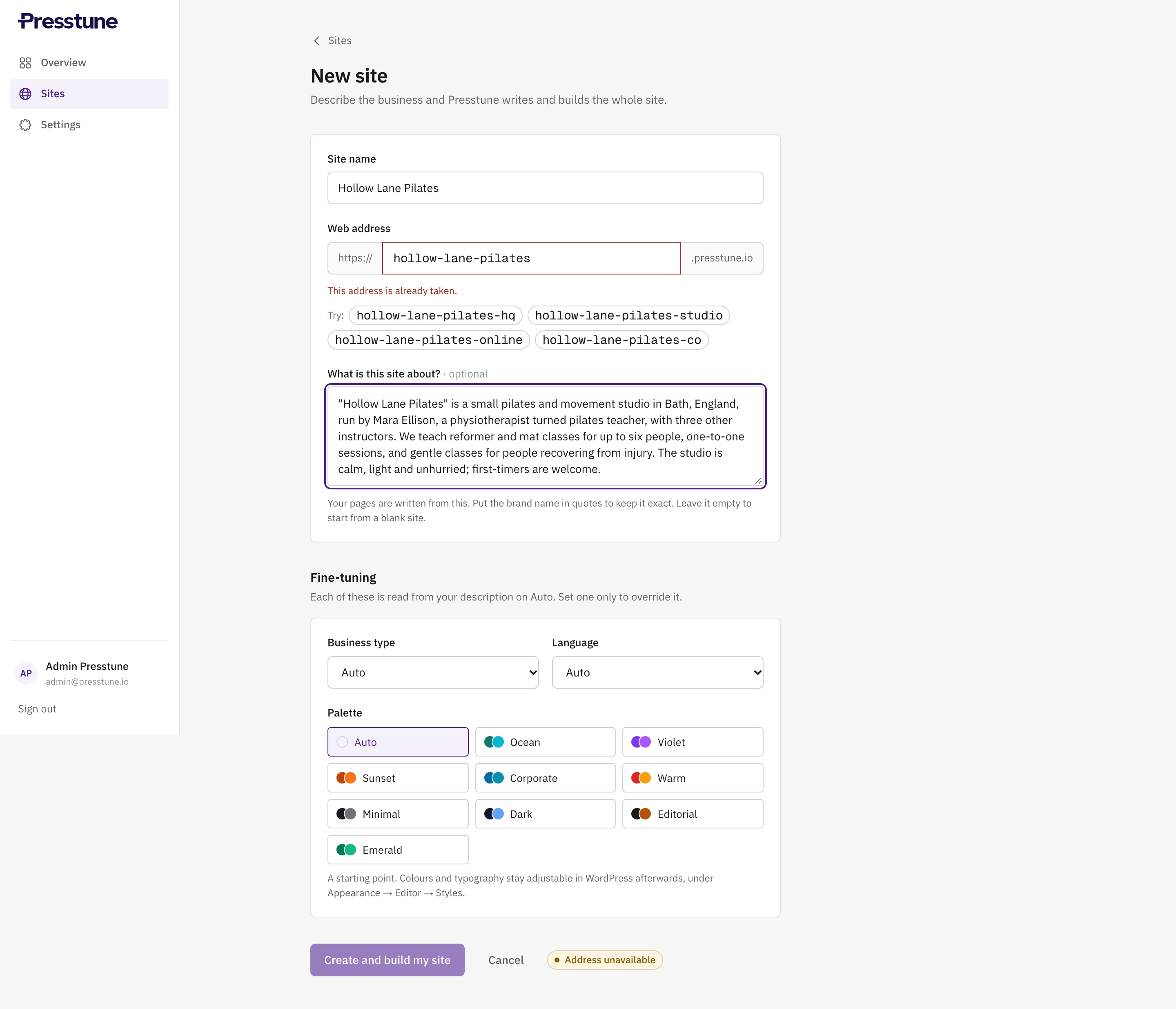
A paragraph is enough: who they are, what they do, where. Put the business name in quotes to keep it exact. Presstune plans the pages a site like that needs, writes them, picks the layout and the photography, and publishes a first draft on a Presstune address.
You can steer it: pick a business type, a palette, the language. Leave them on Auto and it reads them from your description.
Step 2
Make it yours in WordPress.
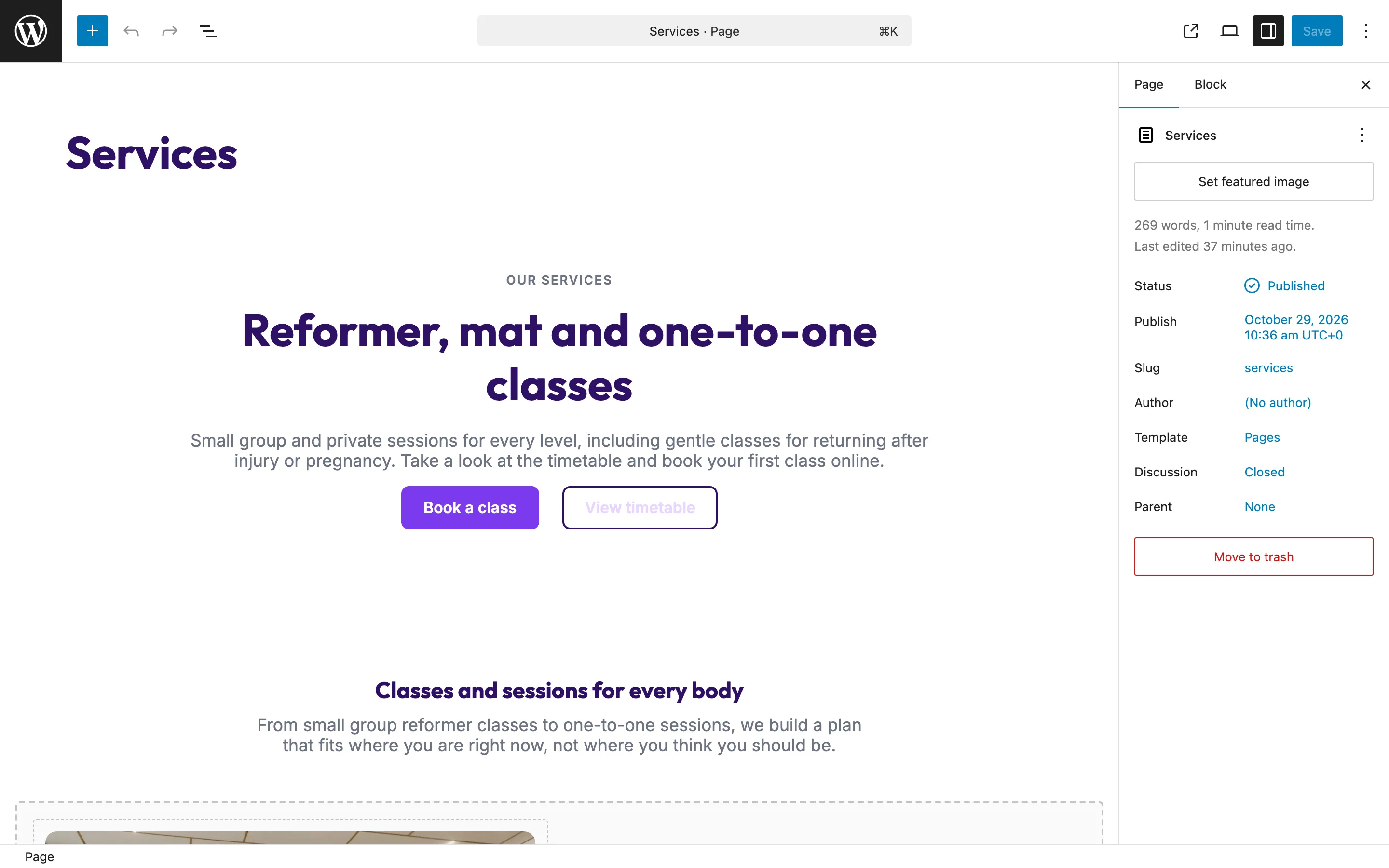
Open the editor from the panel. It is the WordPress admin: pages, the Site Editor, media, global styles. Change a sentence, swap a photo, shift the palette. Your client gets their own login and sees the same thing.
Every edit reaches the live site within a minute. There is no "publish to production" step to teach anyone.
Step 3
Connect the client's domain.
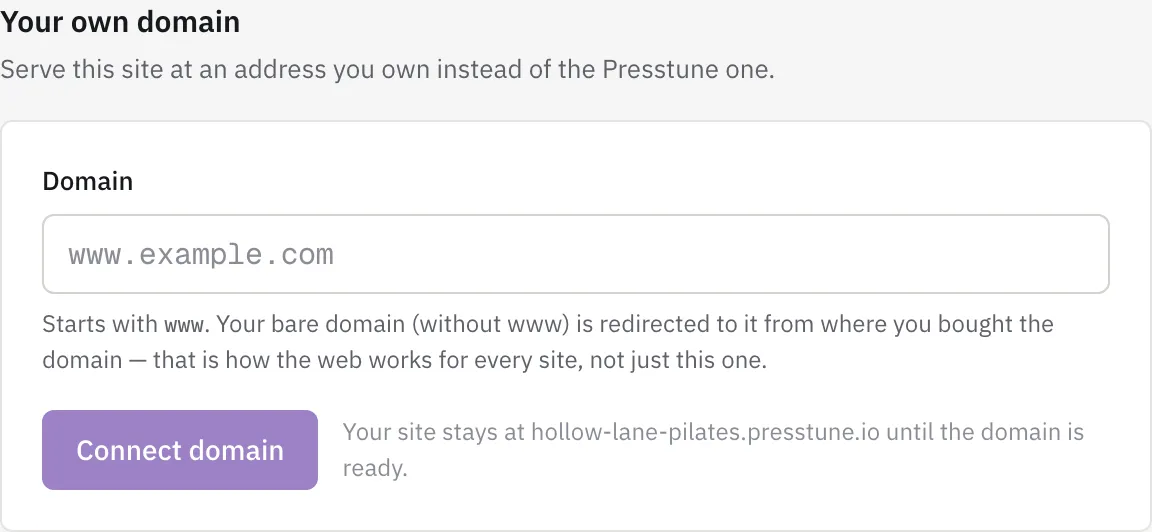
Type www.theirdomain.com into the panel. It shows the one record to add where they manage DNS, usually their registrar, and watches for it. When the record lands, the certificate is issued and the site answers on their address.
The editor stays at the Presstune address, so your client's domain only ever serves the site, never a login page.
Why there is nothing to patch
No plugins to maintain, as a promise and as a limit.
The promise
Most WordPress breaches walk in through a plugin that nobody updated. On Presstune there is nothing for you or your client to install, so there is nothing for either of you to update. We run the platform, keep WordPress and PHP current, and keep the admin locked down to the things a site owner actually decides.
The limit
That also means you cannot bolt on a plugin for a form builder, a booking engine or a shop. Presstune is for brochure sites: pages, contact, local search. When a client needs more than that, they need a different kind of product, and we would rather say so than pretend.
Try it on a real client.
Build the site free, show it to them, pay when they say yes.
Build a site free